Desktop app for serious downloading

Save High-Value VideoWithout The Friction

AuViSaver gives creators, researchers, and operators a faster desktop workflow for pulling reference footage, saving tutorials, and building offline libraries from YouTube, TikTok, Instagram, X, and more.

By using our service, you agree to our Terms of Service

Desktop
Install once, reuse daily
Windows
Installer ready now
Fast
Direct path to download

Why AuViSaver

More control, less friction, and a clearer reason to install the app

Stop fighting ad-heavy web tools

Move to a clean desktop workflow built for speed, repeat use, and real output instead of one-off copy-paste sessions.

Keep a searchable offline library

Save tutorials, competitor references, product demos, and client assets before links disappear or get geo-blocked.

Ship faster with local downloads

Pull assets directly into your editing or research process without bouncing between browser tabs and unreliable downloader sites.

Why teams switch

Built for repeat downloading, not one-time curiosity

  • Desktop-first workflow with less friction than browser downloader sites
  • Better for creators collecting references, editors building shot banks, and operators archiving campaign assets
  • Designed to turn a copied link into a usable local file in a few clicks

What you get

A faster path from URL to usable asset

  • Support for major platforms including YouTube, TikTok, Instagram, X, Pinterest, and more
  • Quality-aware downloads so you can prioritize clean source material
  • A focused product site that keeps users moving toward installation
A cleaner story from copied link to reusable file

Visual identity

A cleaner story from copied link to reusable file

Instead of stacking random cards, the homepage should show one clear idea: this is a desktop tool for people who save, sort, and reuse video as part of real work.

Desktop-firstOffline-readyTeam workflow

Less clutter

One focused visual beats several noisy cards

Images should support the hierarchy, not compete with it. Larger framed scenes feel calmer and more premium than lots of equal-weight blocks.

Clearer conversion

The page should feel closer to software, not to a generic template

A few stronger visual anchors give the brand more confidence while keeping download and pricing actions easy to spot.

Workflow

A simple desktop flow your team can adopt in minutes

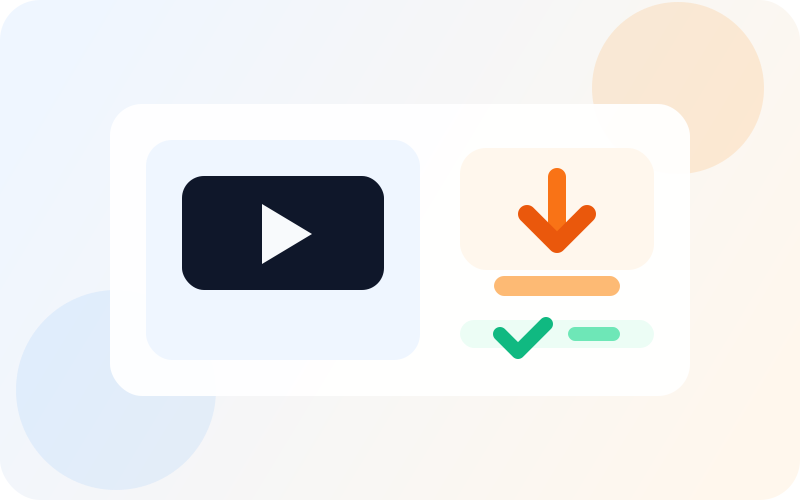
AuViSaver is easiest to adopt when the value is immediate: copy a link, inspect the asset, download it, and move on with your actual work.

01

Copy the video link

Grab the URL from the platform you are researching, referencing, or archiving.

02

Preview before downloading

Paste it into AuViSaver to inspect title, duration, platform, and available asset quality.

03

Download into your workflow

Move the file into editing, documentation, training, or research without losing momentum.

Platform coverage

Cover the channels your team already works with

Keep one dependable desktop entry point for the major platforms your team reviews, archives, and repurposes every week.

YouTubeTikTokInstagramX / TwitterPinterestVimeo

Use cases

Position the app around real work, not generic downloading

The strongest reason to install AuViSaver is not convenience alone. It is having a dependable desktop tool for repeated research, editing, archiving, and review.

For creators and editors

Creative teams

For creators and editors

Collect reference footage, save inspiration before it disappears, and move source files straight into your editing workflow.

Outcome

Build a reusable reference library instead of chasing broken links.

Why it helps

Useful when you need dependable local files instead of bookmarks that break later.

For marketing and ops teams

Marketing ops

For marketing and ops teams

Archive campaign assets, competitor examples, and social proof clips without routing everyone through the same browser hacks.

Outcome

Keep proof points, launch assets, and competitor references in one local system.

Why it helps

A clearer workflow for repeat downloading across content, research, and reporting.

For training and research

Research workflow

For training and research

Keep tutorials, product demos, and educational material available offline for internal docs, workshops, and review.

Outcome

Make repeat review easier for onboarding, workshops, and knowledge capture.

Why it helps

Better when your process depends on revisiting the same material more than once.

Why it converts better

A cleaner trust path from first impression to install

The homepage now does one job: explain why the desktop app matters and move users toward download. Extra content has been removed so the conversion path stays direct.

Direct installer download

Users can download the Windows installer from the homepage instead of hunting through extra steps.

Desktop-first workflow

The positioning stays focused on repeat use, organized local files, and less friction than web downloader sites.

Focused landing experience

The homepage stays centered on downloads, trust, and conversion instead of splitting attention with extra content.

Download the app

Install AuViSaver and move your downloads into a real desktop workflow

Download the Windows build, install it once, and keep video saving inside a cleaner desktop workflow instead of relying on browser tools.

Direct Windows installer download

Desktop workflow for repeat use

Built for local saving and reuse

Desktop software workspace
Installer-ready

Current package

AuViSaver Setup 1.0.0.exe

Best fit

Creators, researchers, editors, and operators who save video often.

Why now

Go from copied link to local file with less friction and fewer detours.

FAQ

Answer the questions that block a download

What do users download right now?

The current homepage CTA serves the Windows installer package directly as an `.exe` download.

What happens after users install it?

They move straight into a desktop workflow for previewing links and saving local copies without bouncing across browser tools.

Who is AuViSaver best for?

It fits creators, editors, researchers, marketers, and operators who repeatedly need dependable local copies of online video.

Why position it as desktop software?

That framing is stronger for trust and repeat use. It feels more like a real tool and less like a disposable web downloader.

Final CTA

Turn interest into install

Keep the homepage focused on one outcome: get users to download AuViSaver and start using the desktop app immediately.