
We have all encountered Twitter videos that we want to download but cannot, which is very frustrating, right? Don't worry, a reliable Twitter video downloader can perfectly solve your problem.
However, not all video downloaders can run smoothly. To save your precious time, we have compiled 12 useful and safe Twitter video downloaders for you to choose from. These tools have their own advantages, and you can choose the one that best suits your needs. They have all been tested by us! You can use them with confidence!
Part 1. Downloading Twitter Videos: What You Need to Know
There are many types of Twitter video downloaders available today, including online tools, mobile apps, and desktop software. If privacy is a top priority for you, we recommend using desktop software. This allows you to download videos directly within the software without the need for a browser, and all downloaded videos can be saved to a private folder. AuviSaver, one of the most powerful Twitter video downloaders, can meet all your video download needs, including format conversion.
Note: Before using any video downloader, please read X's terms of service and avoid actions that violate the platform's rules.
Part 2. 3 Best Twitter Video Downloaders for PC and Mac
Desktop software for downloading Twitter videos offers significant advantages in terms of stability, efficiency, and privacy compared to online tools and browser extensions. Most desktop software supports parsing and downloading multiple videos simultaneously, with a higher success rate in parsing. Additionally, desktop products do not contain ads, pop-ups, or potential viruses. Whether you are a content creator or a social media collector, a desktop Twitter video downloader is definitely your best choice.
1. AuviSaver - Best Video Downloader for PC/Mac
As mentioned earlier, AuViSaver is the most recommended desktop video downloader. It not only supports Twitter but also supports downloading videos from various popular and lesser-known social media platforms. Additionally, AuViSaver supports batch downloading, 4K video, and format conversion. Users can also use the application's proxy settings to bypass geo-restrictions when downloading videos.
- Supports downloading content from over 1000 websites.
- Supports batch downloading of videos, allowing up to 100 videos to be downloaded simultaneously.
- Can convert your videos to the format you need, including AVI, MOV, FLV, etc.
- Extract the video audio and output it as MP3 format.
- The success rate of video downloads is close to 100%, and the download speed is fast.
- Subscription-based paid software.
- Requires downloading and installing software on your computer.
3 Steps to download Twitter video using AuViSaver
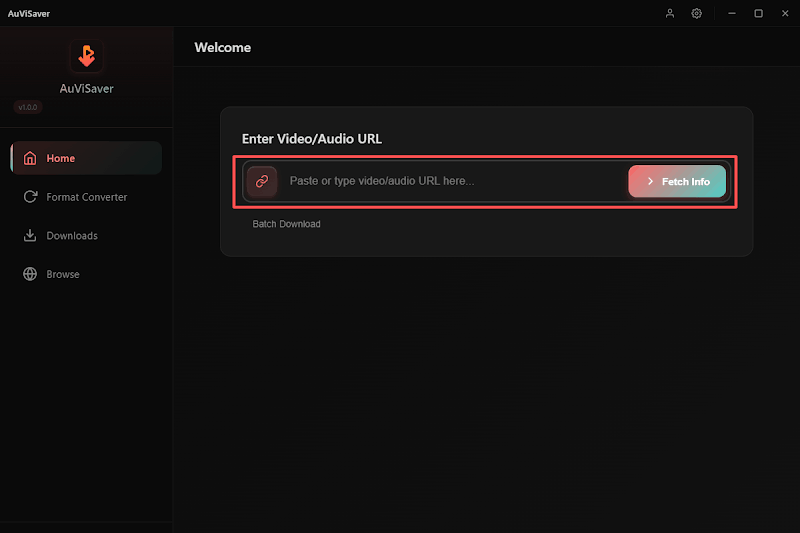
Step 1. Copy and paste the video URL from Twitter
Copy and paste the video url from Twitter to AuViSaver and hit “Fetch Info.”
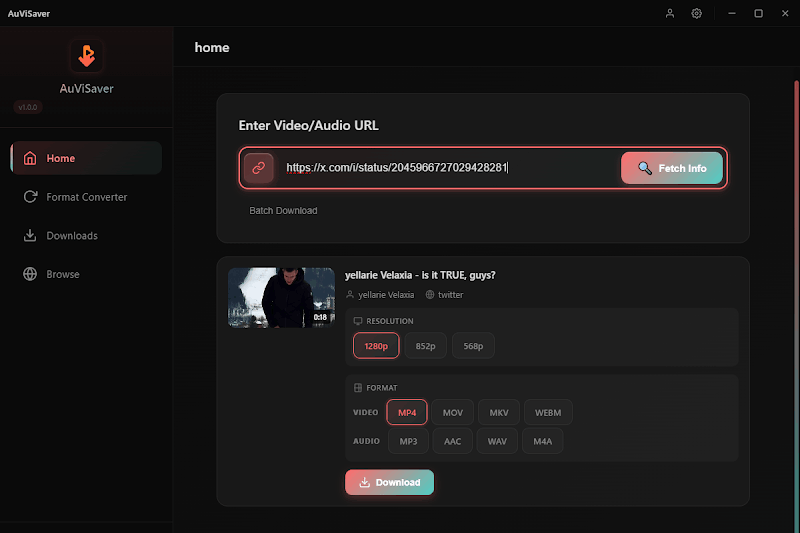
Step 2. Select video quality and format to download
Now, choose the video quality and format you want to download and hit “Download” to start downloading.”
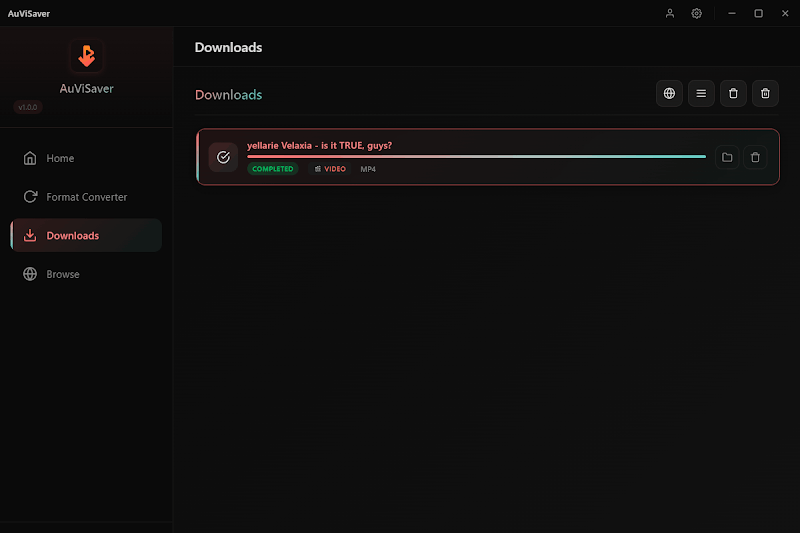
Step 3. Check the downloaded video
In the Downloads list, you can see the downloaded videos. You can click to play the video or click the folder icon to view the download location.”
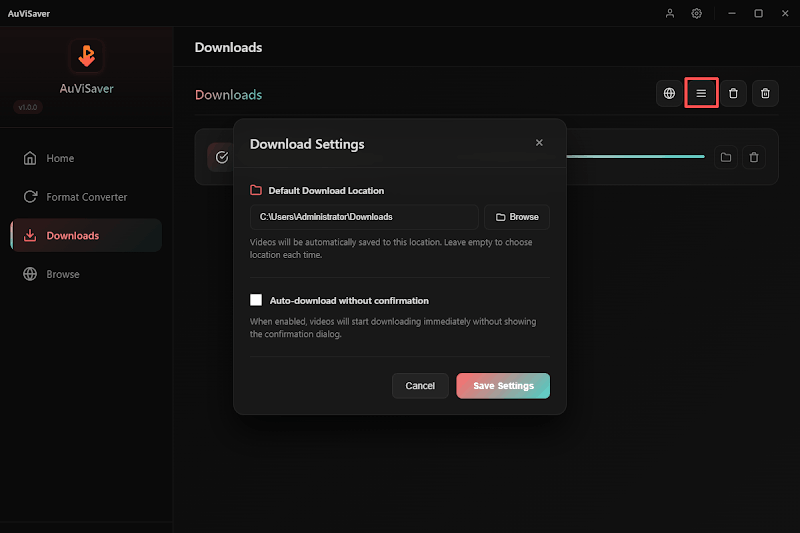
If you want to change the storage location, click the second icon in the top right corner of the video to change it.
2. SnapDownloader
SnapDownloader is also a relatively comprehensive video downloader. It supports over 900 websites and can also convert videos into GIFs. If you're a meme enthusiast, this feature will surprise you! It's also worth mentioning that this tool supports scheduling downloads. However, the software is also a paid subscription system. If you only occasionally download videos, the cost of this product might be relatively high.
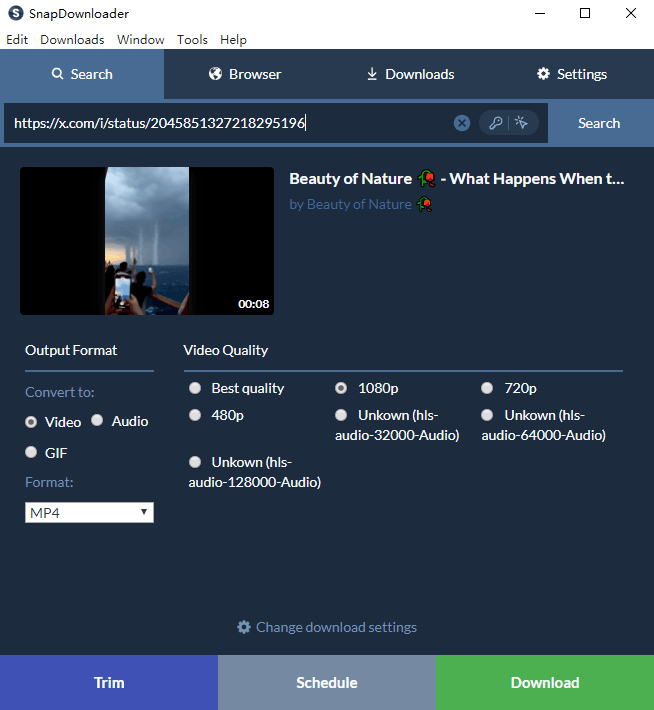
- Supports high-quality video downloads, up to 8K resolution.
- Supports batch downloading of videos, with a maximum of 50 videos downloaded simultaneously.
- Allow setting scheduled video downloads.
- Supports multiple format conversions.
- Support video to GIF conversion.
- Only supports Windows and macOS.
- Pay required, and the lifetime version is more expensive.
3. Televzr
Televzr video downloader is not just a video downloader but also a Media Organizer. This tool can not only download video content from Twitter and other popular social media platforms but also automatically categorize downloaded files into Movies, Music, or TV Shows. Although it offers a free version, it has many limitations. Moreover, the paid version is quite expensive.
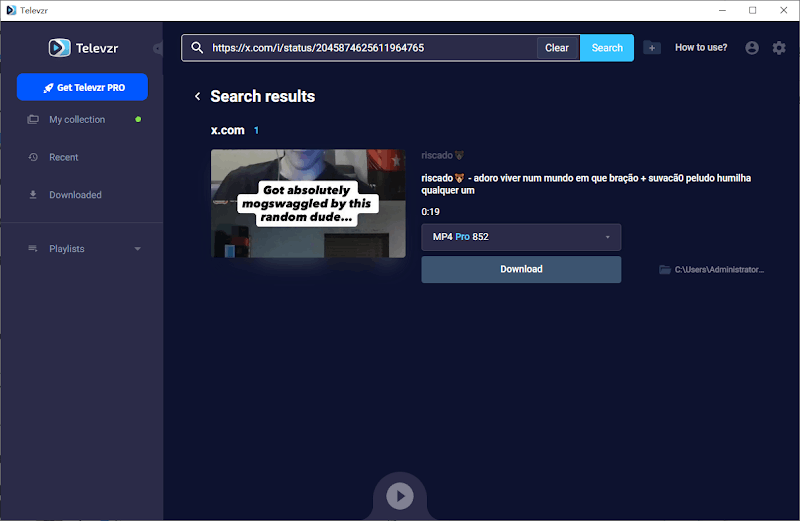
- Automatically identify the content attributes and categorize them.
- Supports over 700 websites, including popular media platforms.
- Built-in player, no need to call the system's built-in player.
- Support clipping downloaded videos.
- The software has high background memory usage.
- Bulk downloading of videos is not supported.
- Does not support format conversion.
If you are hesitating and don't know how to choose among these three products, you can refer to the summary table below.
| Comparison | AuViSaver | SnapDownloader | Televzr |
|---|---|---|---|
| Supported Platforms | 1000+ | 900+ | 700+ |
| Batch Downloads | Support | Support | Not supported |
| Download Stability | Extremely high | Extremely high | Extremely high |
| Maximum Resolution | 4K/1080 P | 4K | 4K/8K |
| Applicable Users | Content creators, self-media operators | Movie/TV show enthusiasts | Tech geeks |
Part 3. 3 Twitter video download apps for iPhone/Android
If you want to download Twitter videos on your mobile device, then the App is the best choice for you. We have also prepared three popular Twitter video download apps for you. However, these apps may occasionally fail to search for videos.
1. Download Twitter Videos - GIF (Android Only)
This is the top-ranked Twitter video download app. It can not only download videos but also some GIFs. The usage steps are also very simple. You only need to download the app. Then click the share button under the Twitter video you want to download, and use the app to open it to download. However, at present, this app only supports Android users.
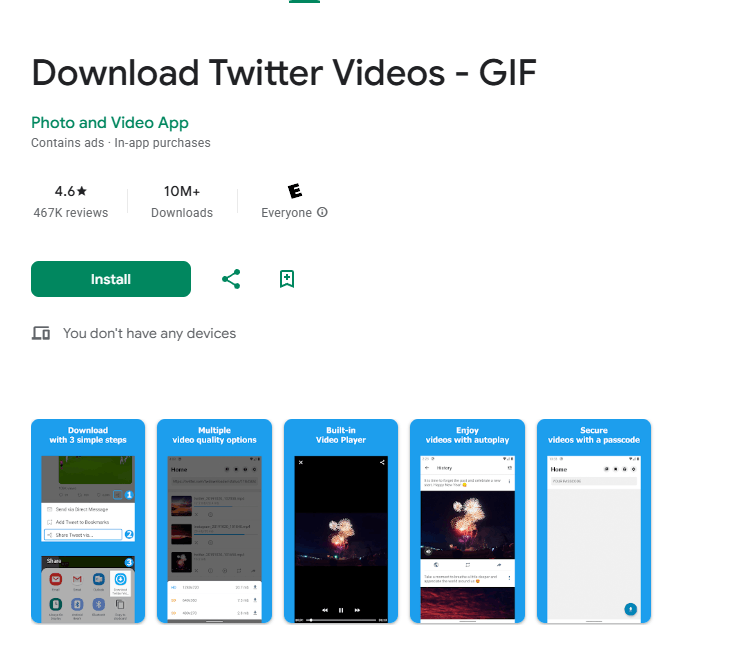
- No need to copy and paste the link.
- Can download GIFs.
- Supports downloading videos up to 720P.
- Support one-click sharing to other platforms.
- There are many ads.
- Request access to the phone's storage permissions.
- Will collect app activity and device ID.
2. Tweeload - Twitter Video Saver (iOS / Android)
Tweeload is a Twitter video downloading app that supports both iOS and Android systems. It is a completely free product. It can help you download all the videos in a tweet (up to 4). And it supports downloading 1080P resolution. The usage steps are share and download.
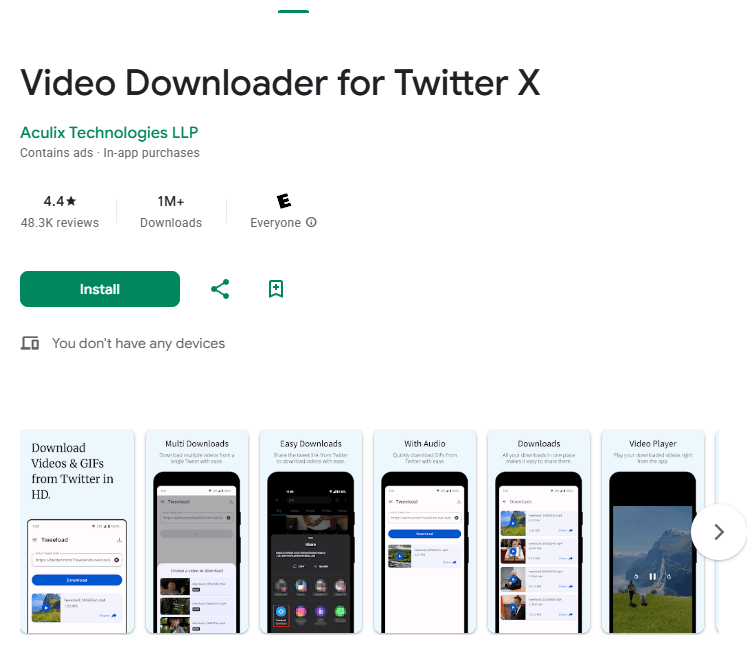
- Supports Android and iOS platforms.
- Supports downloading multiple videos under a single tweet.
- Resolution supports 1080P.
- Simple usage does not require copying and pasting the URL.
- There are a lot of ads, and they cannot be skipped.
- Failure to clear the internal cache in a timely manner may occupy a significant amount of storage space.
- Will collect location information and device identifiers.
3. Video Downloader for Twitter
This is also one of the most downloaded Twitter video download apps, and the app's reviews are basically at two extremes. Its highlights are supporting the simultaneous download of multiple videos and having an encrypted hiding feature built into the app. It allows users to store downloaded sensitive or personal videos in a private folder within the app without appearing in the phone's system gallery. At the same time, its download method is also share-to-download.
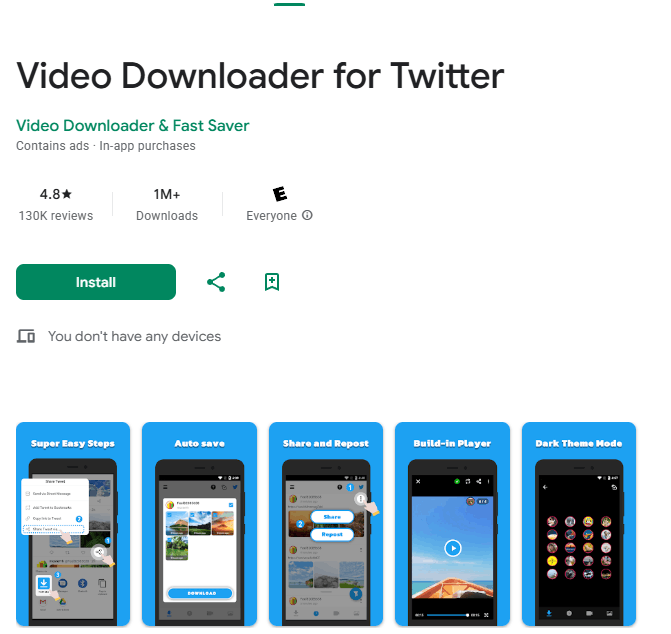
- No need to copy and paste the video link to download.
- The highest resolution supported is 720P.
- Can download GIFs.
- Access to private folders.
- Supports batch downloading.
- Downloading a video may require watching 3-4 ads.
- Request access to various permissions.
- Videos may fail to play after downloading too many.
Overall, Twitter video downloaders for apps are widely plagued by issues such as excessive advertising and privacy security. Additionally, downloaded videos can have a negative impact on your phone's memory, and may even affect your phone's battery life and performance.
This is a comparison between App and Desktop software, in case you're struggling with choosing between the two.
| Disadvantages | App | Desktop Software |
|---|---|---|
| Advertisements | Many, often including full-screen pop-ups | No ads |
| Efficiency | Low, only supports single download | High, supports batch and entire list scraping |
| Safe | High risk, often requires various privacy permissions | Relatively safe, mainly running locally |
| Stability | Poor, severely limited by the system and API | Strong, fast kernel updates, supports proxy configuration |
Part 4. 6 Best Online Twitter Video Download Websites
Online download websites are the first choice for many users. Most users believe that these websites are free and do not require installation, making them very convenient. Indeed, online video download websites are the most convenient choice for handling single, temporary download tasks. Below is a list of 6 mainstream and stable Twitter video download websites:
1. SaveTweetVid
- Features: Extremely simple interface, supports video (MP4), GIF, and audio (MP3) downloads.
- Advantages: Can list multiple resolutions (320p, 480p, 720p, etc.) for selection, and does not require registration, with excellent compatibility on mobile browsers.
2. SSSTwitter
- Features: Fast response speed, and is one of the most frequently used Twitter download stations globally.
- Advantages: Provides a browser extension version, which, after installation, allows you to see the download button directly on the Twitter webpage, eliminating the need to copy and paste the link.
3. Twitter Video Downloader
- Features: An old-timer tool, specifically optimized for Twitter video.
- Advantages: High stability, capable of quickly supporting the latest version after Twitter updates.
4. SnapTwitter (Snapsave)
- Features: Inherits the high-definition parsing technology from the Snapsave family (such as downloading Facebook/TikTok videos).
- Advantages: The priority is given to video quality, as it will capture the highest bitrate files available on Twitter's servers, making it suitable for users with certain quality requirements.
5. TWSaver
- Features: Provides a simple three-step operation: paste, parse, download.
- Advantages: The website handles private videos well (assuming you have permission to view them), and the page is relatively clean with fewer pop-up ads.
6. SaveFrom.net
- Feature: Supports almost all mainstream social media platforms, but currently does not support the United States.
- Advantages: High brand recognition, supports quick download access via the shortcut 'sfrom.net/' added to the URL, perfect for users who need downloads across platforms (YouTube/FB/X).
Tips for using online tools: Beware of fake buttons: The large green 'Download' or 'Start' buttons on the page are often advertisements; the actual download links are usually displayed in a list after the resolution process. Also, be mindful of privacy: try not to enter any personal information or account passwords in the dialog boxes that pop up on these websites.
Conclusion
So when should you use which type of Twitter video downloader? If you don't have high demands for video downloads and only occasionally download a couple of videos, we recommend using an online website for downloading. If you need high-quality videos and have long-term needs for video downloads, then desktop-based AuViSaver is definitely your best choice. If you just want to save and share videos on your phone, then the app will suffice. We hope this article helps you!
FAQs about Twitter Video Downloader
Q1: Is there any Twitter video downloader without watermark?
Yes. Twitter video downloader like AuviSaver can help you download HD video without watermark.
Q2: Is Twitter video downloader safe to use?
Yes, desktop Twitter video downloaders are generally safe and ad-free. However, ads on apps and online websites may contain viruses, so you need to be cautious.
Q3: Is it legal to use Twitter video downloader?
The terms of service for Twitter video downloaders generally state that you can only download videos for personal use and not for commercial purposes or without the author's permission for reproduction and distribution. Please strictly adhere to Twitter's and the video downloader's terms of service.
Q4: What is Twitter video downloader extension?
As the name suggests, it uses browser extensions to quickly download Twitter videos, and most Twitter video download online sites support this feature. Such as SaveFrom.Net and SSSTwitter Downloader.